Fallout 4 now lets you watch real movies on in-game TVs thanks to clever new mod


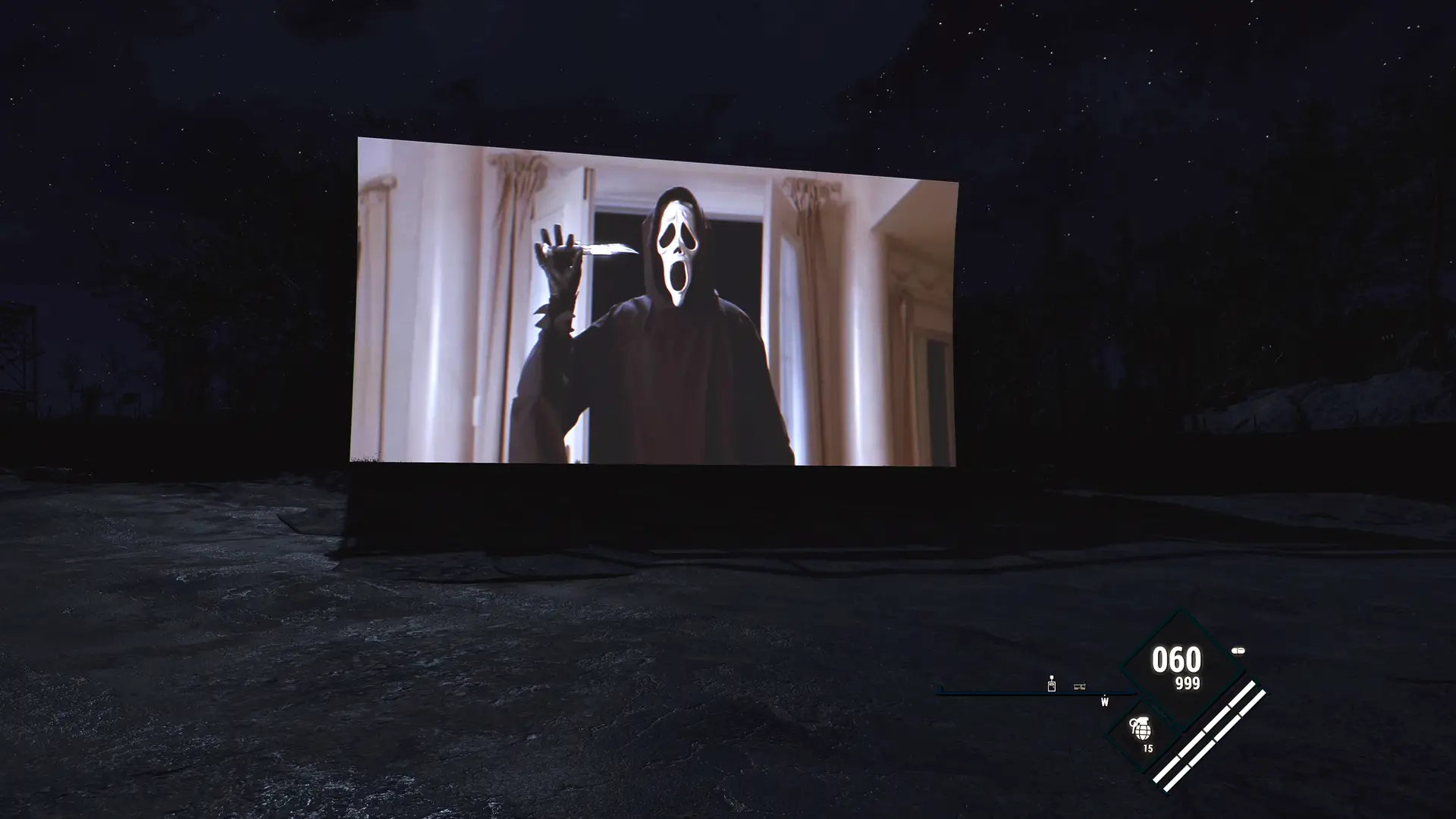
Fallout 4 players can download a fun and unique free mod that finally makes in-game TVs work as they do in real life. Not only can you watch your own videos on televisions throughout the Commonwealth, but you can even turn its drive-in cinema into your very own personal movie theatre.
The fresh new ways that modders find for us to enjoy Bethesda’s Fallout 4 will never stop being impressive, especially as the game is well over a decade old, originally releasing in 2015 on PC, PlayStation 4 and Xbox One. Today, it’s available on modern consoles, including the Nintendo Switch 2.
Some mods add new missions, characters and gameplay features, such as the fantastic DLC-sized Detour mod. Others simply fix bugs that have long overstayed their welcome. Either way, mods can add another layer of immersion, and the Real Videos mod, created by EvoDube, is no exception.
What is the Real Videos mod, and how does it improve Fallout 4?
The Real Videos mod, which is free to download via Nexus Mods, does far more than just play real videos on in-game TVs in Fallout 4, because it can essentially turn Bethesda’s post-apocalyptic RPG into a unique way to watch your favourite movies and series
Advert
Here are the best features of the Real Videos mod in Fallout 4:
- Watch real movies and TV shows: Play your own videos on TVs throughout the Commonwealth, with support for MP4, MKV, AVI, WebM and other popular formats.
- Create your own outdoor cinema: Turn Starlight Drive-In into your very own movie theatre with the help of the compatible Rebuild mod.
- Use a working remote control: Press F6 to pause, rewind, fast-forward, adjust the volume and brightness, or switch between videos.
- Watch videos on multiple screens: Play different videos on up to 20 TVs or projectors at the same time, each with its own settings.
- Create your own playlists: Put together playlists of your favourite movies and TV shows, with options to shuffle or autoplay.
- Enjoy realistic sound effects: Audio changes depending on where you're standing, becoming quieter as you move further away from the screen.
- Give your movies a retro look: Add film grain, scratches, flickering, faded colours and projector shake for that classic, old-fashioned cinema experience.
- Pick up where you left off: TVs remember where you stopped watching when you save and reload your game. Videos can also pause automatically when you're not watching.
- Optimised performance: The mod supports GPU decoding, automatic CPU fallback and adjustable video resolutions to help Fallout 4 run smoothly.
- No need to start a new game: Real Videos can be added to your existing Fallout 4 playthrough, so you won't have to start your adventure all over again.
READ MORE: Fallout 4 lands fully-voiced new quest expansion that players dub 'peak' and 'instant download'
How to download the Real Videos mod for Fallout 4
- Download the Real Videos mod: Head over to Nexus Mods and download the mod for free.
- Install the required mods: You'll also need Fallout 4 Script Extender (F4SE), Address Library for F4SE Plugins and F4SE Menu Framework. Just make sure they're compatible with your version of Fallout 4.
- Install Real Videos: Once you've installed the required mods, you can install Real Videos using a mod manager such as Vortex or Mod Organizer 2.
- Add your own videos: Place the videos you want to watch in the Data\Videos folder. For the best results, MP4 files using H.264 video and AAC audio are recommended.
- Launch Fallout 4: Once everything is ready, launch the game through F4SE, aim at a TV and press F6 to bring up the remote control.
- Sit back and enjoy: Choose what you want to watch and enjoy your favourite movies and TV shows in the Commonwealth. You can even create your own playlists!
Finally, it's worth keeping in mind that Real Videos is exclusive to PC, as the mod requires players to add their own video files to Fallout 4, something that isn't supported on consoles.