• News

  • TV & Film

  • PlayStation

  • Xbox

  • Nintendo

  • PC

  • Reviews

  • News

  • TV & Film

  • PlayStation

  • Xbox

  • Nintendo

  • PC

  • Reviews

  • Advertise
  • Terms
  • Privacy & Cookies
  • LADbible Group
  • LADbible
  • UNILAD
  • SPORTbible
  • Tyla
  • UNILAD Tech
  • FOODbible
  • License Our Content
  • About Us & Contact
  • Jobs
  • Latest
  • Topics A-Z
  • Authors
Facebook
Instagram
X
Snapchat
TikTok
YouTube
Threads
Submit Your Content
Hogwarts Legacy players urged to change one setting following new update

Home> Games> Hogwarts Legacy

Published 12:37 13 Jun 2024 GMT+1

Hogwarts Legacy players urged to change one setting following new update

Harry on my wayward son

Ewan Moore

Ewan Moore

google discoverFollow us on Google Discover

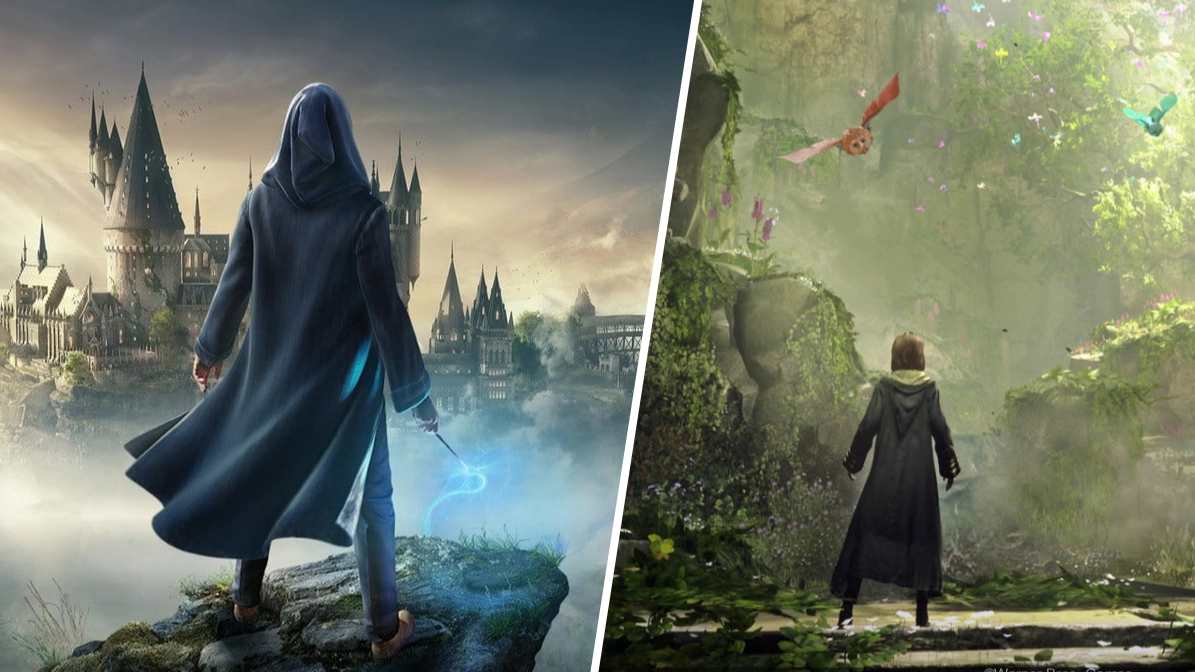
Hogwarts Legacy recently made its long-awaited summer update available, but it hasn't all been plain sailing.

Harry Potter fans were recently treated to a 55GB update for Hogwarts Legacy which, among a few changes and quality-of-life improvements, actually added in some new content.

Not everyone is particularly thrilled with all the new stuff in the game, mind you, with many arguing we could have gotten a little bit more.

Still, it's worth noting this was a free update. Maybe paid DLC is still in the works and being held back for next year while we wait for Hogwarts Legacy 2? We just don't know, so for now this is what we must make do with.

Advert

Unfortunately, it sounds as if the new update is actually causing some genuine problems for players, specifcally on PlayStation 5.

Over on the Hogwarts Legacy subreddit players have been complaining of frequent crashes on PS5 since the update.

One user writes: "The problem is I can’t seem to move a few meters in game before it crashes. I’ve restarted the game and rebooted my console multiple time. However each time I load and irrespective of character I choose I load into the world take a few steps toward the open world and BSOD."

As it turns out, this is a known issue that the developers are already working to fix. In the meantime, however, if this is impacting you, all you need to do is head into the game's settings and disable ray-tracing.

Multiple users claimed this worked for them as a temporary fix, so if you're thinking about returning to Hogwarts on PS5 any time soon, you'll probably want to make sure you have that setting disabled to avoid anything dodgy happening.

Featured Image Credit: Warner Bros

Topics: Hogwarts Legacy, Harry Potter, Warner Bros

Advert

Advert

Advert

Choose your content:

a month ago
3 months ago
  • Rockstar Games
    a month ago

    GTA 5 Gains Free New Game Mode, Eases GTA 6 Wait

    Download and enjoy now without costing you a penny, Jason and Lucia can wait

    Games
  • Rockstar Games
    a month ago

    GTA 6 'Correct' Leaks Compiled, Rockstar Tells Us Where To Look

    Credibility confirmed thanks to Rockstar themselves and the timing of one member of staff being fired

    Games
  • Rockstar Games
    a month ago

    GTA 6 Trailer 3 Release Window Potentially Spotted Online

    Let it be so

    Games
  • PlayStation Direct
    3 months ago

    PlayStation’s Black Friday Deals Have Landed, Biggest PS5 Saving so Far

    PlayStation has slashed the price of some of the best consoles and games, as well as accessories

    Games
  • Hogwarts Legacy's Secret Basilisk Has Gone Unnoticed By Most Players
  • Hogwarts Legacy fans terrified for sequel following new update
  • Hogwarts Legacy Gamers Are Overlooking a Free Harry Potter Game Alternative
  • Hogwarts Legacy Players Braced For Long-Awaited Game Update