GTA 5 gets its own Undead Nightmare mode in massive free zombie PC add-on


GTA V players can experience their own taste of Rockstar Games' beloved Red Dead Redemption expansion, Undead Nightmare, thanks to a free fan-made zombie mod that transforms Los Santos into a city overrun by the undead.
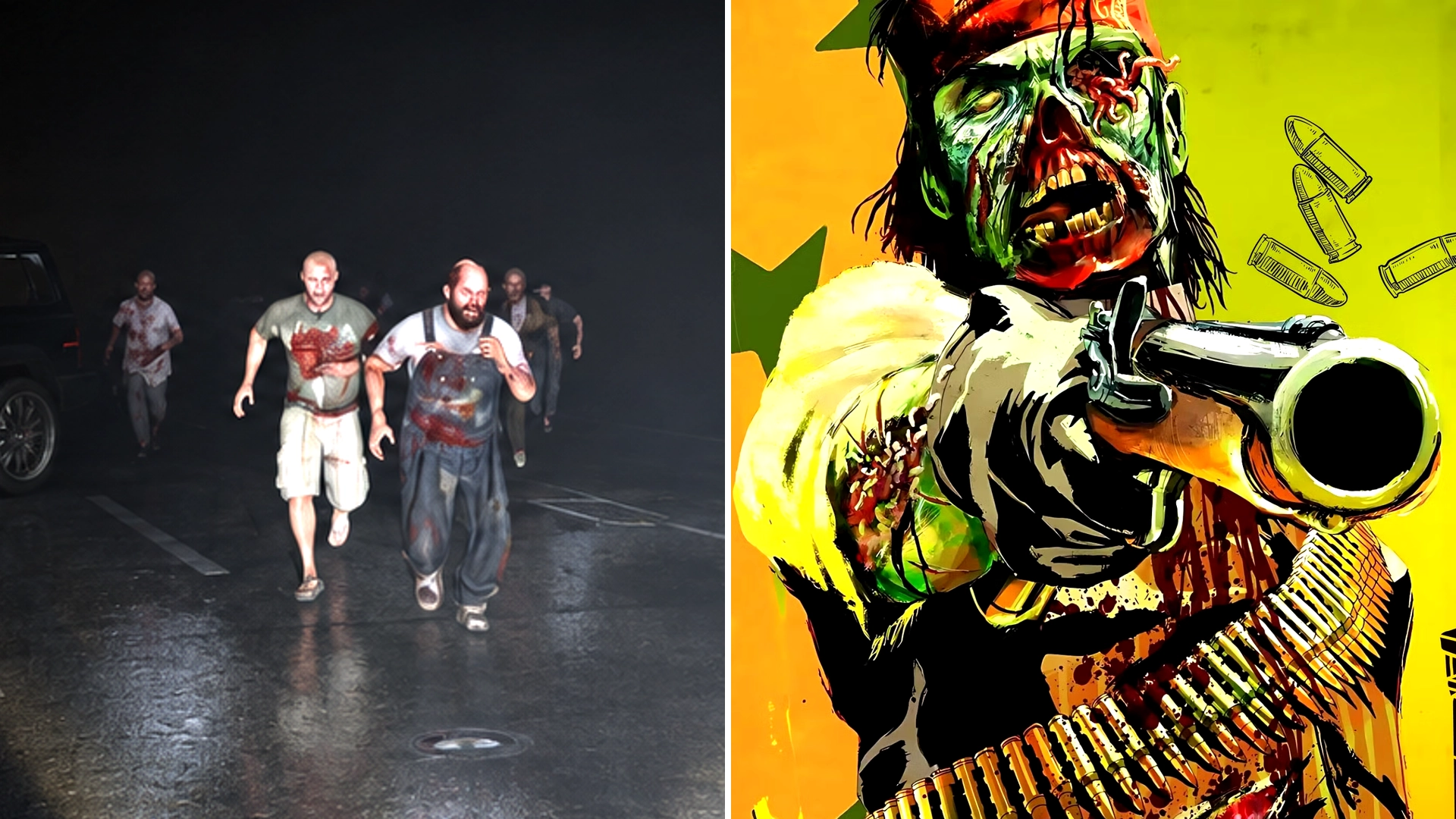
Released in 2010, Undead Nightmare was the only single-player expansion for the original Red Dead Redemption. Rather than continuing the main story, it placed John Marston in an alternative reality where the Wild West was overrun by brain-munching zombies, including infected wildlife.
Fans had hoped for a similar expansion in Red Dead Redemption 2, but it never happened. While GTA Online has featured limited-time zombie events, there's nothing quite like Undead Nightmare. However, if you're looking for a more permanent zombie survival experience, this free GTA V PC mod might be just what you're after.
How does this free GTA 5 zombie mod work?
The mod is called Los Santos Collapse – Zombie Mod Enhanced, created by FranBachmann, and it's available to download for free via GTA5-Mods.
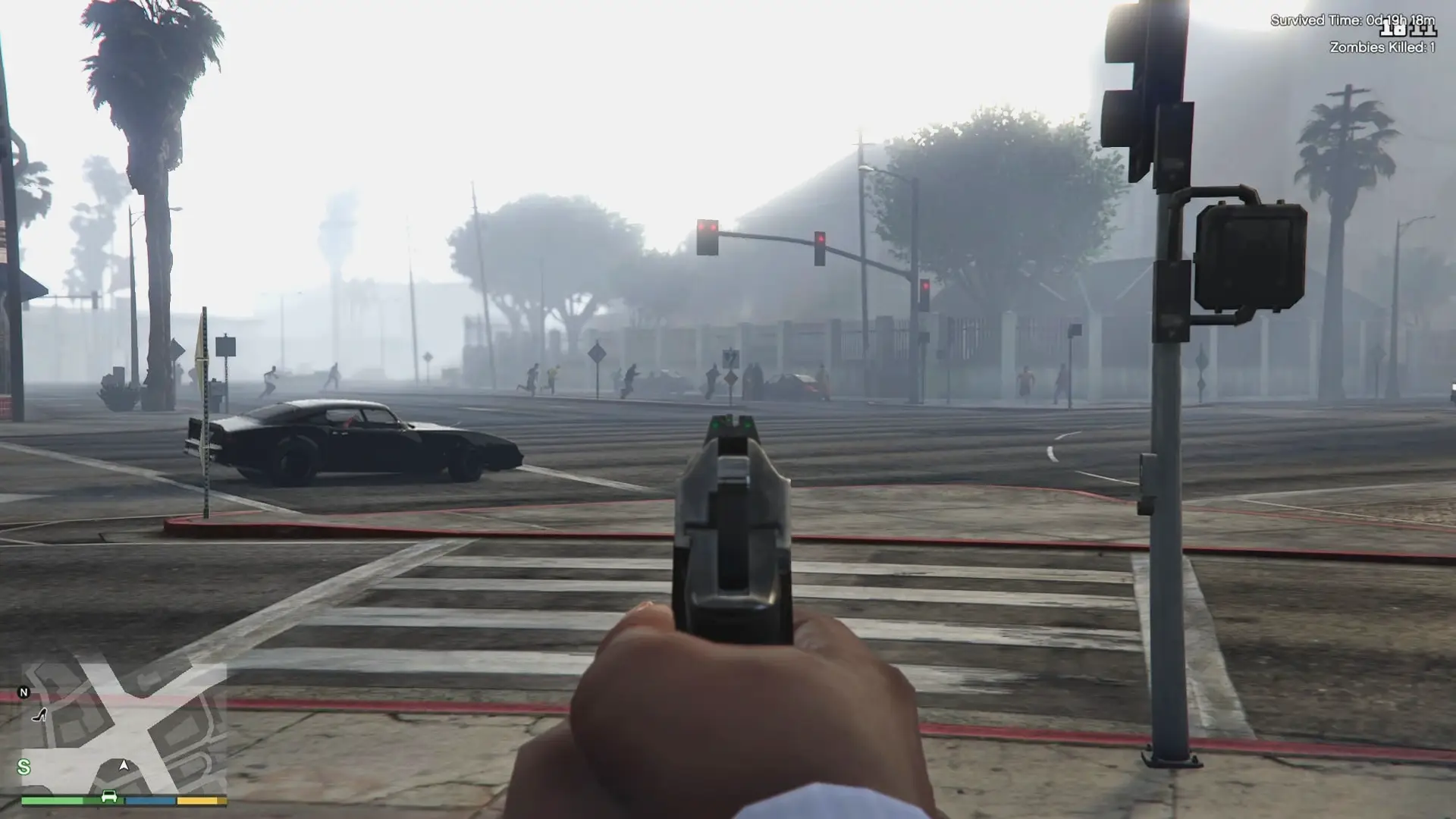
This fan-made mod transforms Los Santos into a zombie-infested city, with many of its NPCs becoming the living dead, ready for you to mow down or run away screaming, depending on how brave you are.
Advert
What makes this mod particularly interesting is how the outbreak gradually spreads over four in-game days, with the number of zombies increasing as civilian activity declines. Before long, all hell breaks loose, and Los Santos begins to resemble Raccoon City.
Here's a breakdown of what happens during each day of the zombie apocalypse:
- Day 1: Players have time to explore Los Santos, gather supplies and prepare for the zombie outbreak that's about to unfold.
- Day 2: A military emergency radio broadcast warns players of the growing crisis, triggering a mission sequence as the city descends into chaos.
- Day 3: Things take a turn for the worse as Los Santos is hit by a citywide blackout, followed by heavy rain.
- Day 4: The rain turns into a permanent lightning storm, adding to the chaos as players continue their fight for survival.
What are the best features of GTA 5's free zombie mod?
- Permadeath: If you die, it's game over, meaning you'll have to start your survival run all over again.
- Zombies react to sound: Gunfire, explosions, car horns, and even running can attract the undead, so it might be best to keep quiet.
- Vehicles aren't always safe: Zombies can jump onto moving cars and cling to them, making escaping a horde even more difficult.
- Infection spreads: Civilians attacked by zombies can become infected, eventually turning into the very monsters they're trying to escape.
- Recruit survivors: Find armed civilians willing to join your group, but be careful, because not everyone will be friendly.
- Scavenge for supplies: Loot convenience stores for food, find weapons at Ammu-Nation and search police vehicles for ammunition and equipment.
- Manage your inventory: Carry up to 15 items in your backpack and store additional fuel in your vehicle for emergencies.
- Choose your character: Play as Michael, Franklin or Trevor, each with different starting stats, with Trevor offering the toughest challenge.
- Random encounters: Come across abandoned vehicles, police activity, helicopter incidents and unexpected explosions while exploring Los Santos.
- Safe zones: Find shelter away from the roads or visit the Port Safe Zone, where you can interact with other survivors.
READ MORE: 12 famous GTA 5 voice actors you probably didn't realise were in the game
How to download and install the free GTA 5 zombie mod
- Step 1: Make sure you have GTA V Enhanced on PC, as the mod was developed and tested for this version of the game.
- Step 2: Download and install Script Hook V, an Enhanced-compatible version of Script Hook V .NET and an ASI Loader. You'll also need Microsoft .NET Framework 4.8 or later and the Visual C++ Redistributable.
- Step 3: Download the free Los Santos Collapse zombie mod from GTA5-Mods.
- Step 4: Find your GTA V Enhanced installation folder and create a folder called scripts if you don't already have one.
- Step 5: Copy the LosSantosCollapse.3.dll and LosSantosCollapse.ini files into the scripts folder.
- Step 6: Disable BattlEye in the Rockstar Games Launcher, then load GTA V Story Mode.
- Step 7: Once in the game, press F5 and select Start/Resume Outbreak to begin your zombie survival adventure.
It's worth mentioning that the mod is still in beta, so there's a chance you might encounter some bugs. Hopefully, any lingering issues will be ironed out in future updates.
At least this free mod should help keep PC gamers busy while they wait for Rockstar Games to announce a PC version of GTA VI.
Topics: Mods, PC, GTA 5, Grand Theft Auto, Rockstar Games