Stick Drift Is Over: New PS5 Controller Finally Fixes Console's Biggest Problem


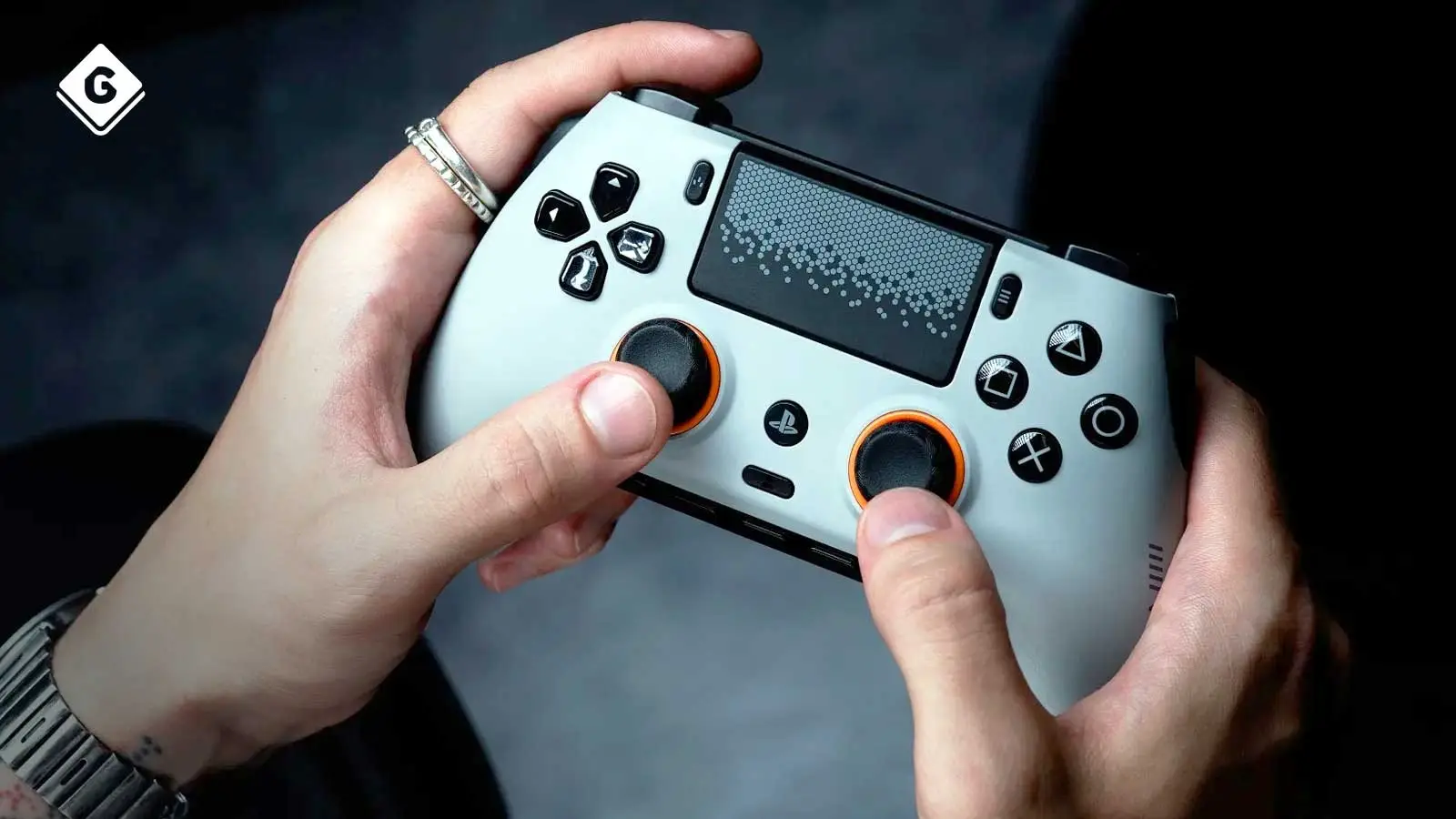
The dreaded stick drift has plagued gamers for generations, with no real fix for most. However, this brand-new officially licensed SCUF Omega controller might finally eradicate the game-breaking issue.
It’s probably safe to say that we’ve all encountered controller stick drift at some point. Either one or two of the analogue sticks will slightly tilt to one side, resulting in an in-game character or car moving without you even touching the controller. It’s something that happens with controllers across PC, PlayStation, Xbox and Nintendo.
Two of the most common culprits of stick-drift in recent years have been Nintendo’s Joy-Con and PlayStation’s DualSense controllers. Hall Effect modules have been the best way to combat the stick drift issue thanks to the magnetic conductor that essentially deflects drift to the side, making it more central. They also offer more precision than standard modules.
Does TMR Guarantee No More Stick Drift?
At this time, nothing guarantees 100% complete removal of stick drift. However, TMR (Tunnel Magnetoresistance) modules improve on the Hall Effect in almost every way, by not only making the chances of encountering stick drift almost non-existent, but also making the modules more durable.
Wear and tear of a TMR module is greatly reduced compared to a standard one, even when the TMR controller is used every single day. Meaning, that you should get a lot more use with the SCUF Omega than a standard controller, and even one that uses the very reliable Hall Effect. The TMR modules also make the analogue sticks more precise, which is always a bonus when playing games such as Call of Duty and Fortnite. Yet, while the Hall Effect is fantastic at drastically reducing stick drift, much like TMR, it’s still not impossible for it to happen, but it’s incredibly unlikely.
Advert
The SCUF Omega Has More Than Just Four Back Paddles
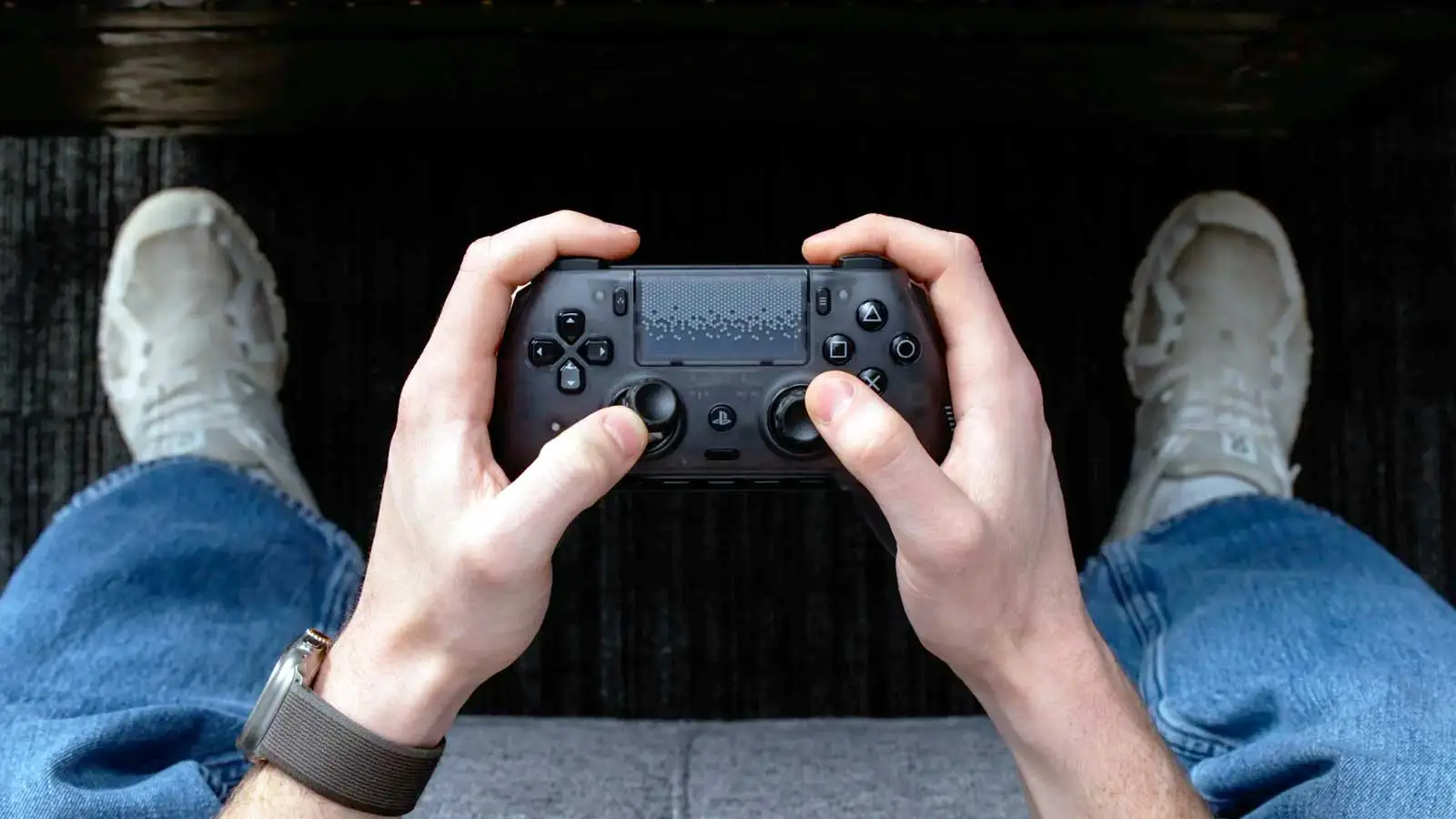
Most SCUF or other pro-inspired controllers have four very handy paddles on the back of the controller, which may be used to replace functions such as crouch, jump, or switch weapons in a first-person shooter. These back paddles are especially handy because your fingers are likely to be placed naturally over them, rather than shifting to the standard triggers at the top of the controller. That split second can make all the difference in competitive gaming.
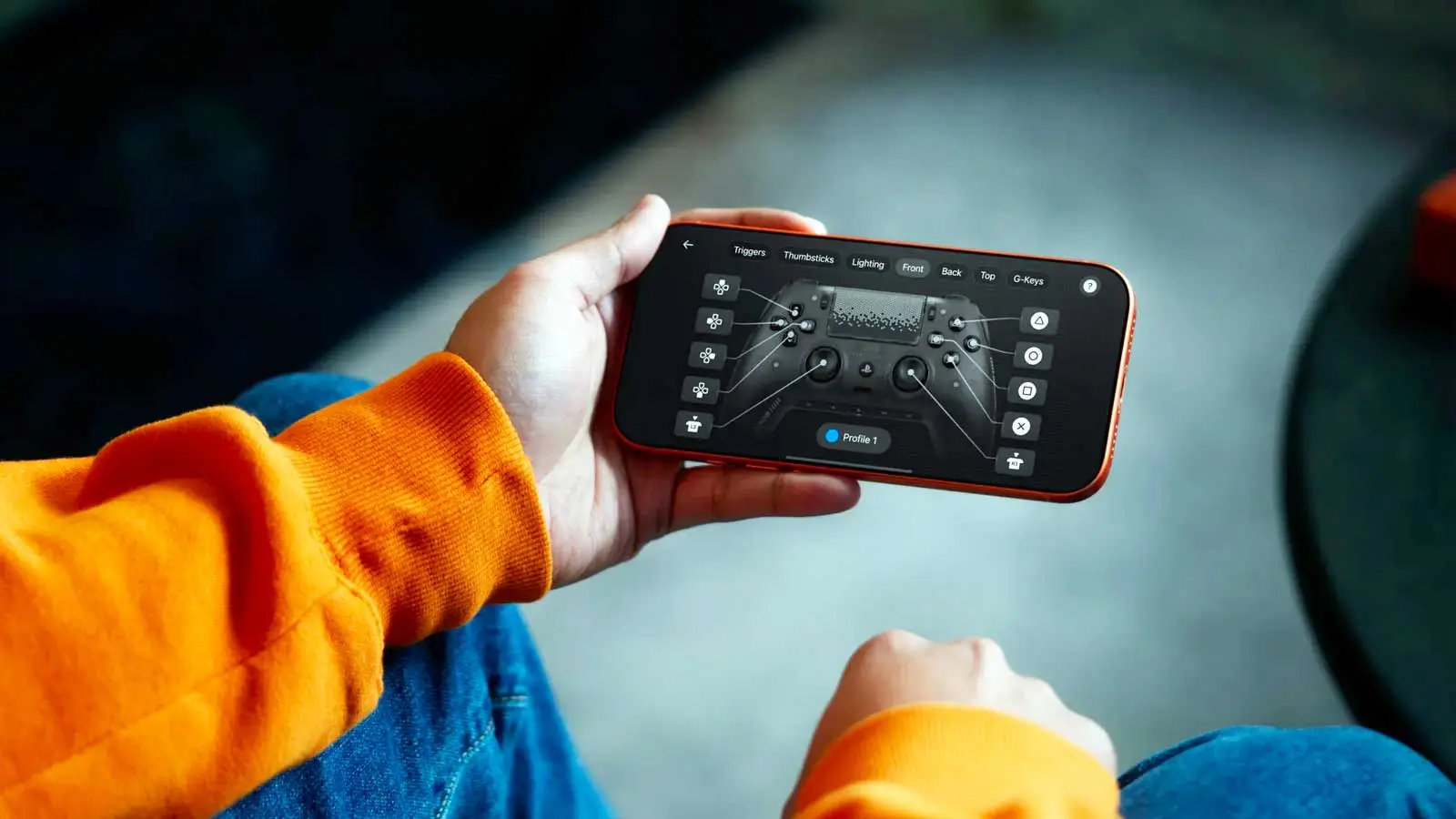
However, not only does the SCUF Omega have four remappable back paddles, but it also has two additional buttons on the side of the controller. I was concerned that they might get in the way with me accidentally pressing them when playing a game, but as far as I’m aware, that hasn’t happened. If they do become a nuisance for you, they can be disabled via the free SCUF Mobile App for iOS and Android.
Once the SCUF Omega is connected via Bluetooth and the app is loaded up, you can remap every single button, which includes the face buttons and even the D-pad. You can also adjust the sensitivity of the L2 and R2 triggers and realign the analogue sticks.
Speaking of the L2 and R2 triggers, these each have a switch underneath that lets you go from a standard long-press to an instant mouse-like click. An instant click is very beneficial for shooter games, while the traditional long press is best used with varying pressure, such as accelerating in a game like Gran Turismo or Forza Horizon 6.
The New Side Buttons Can Be a Game-Changer
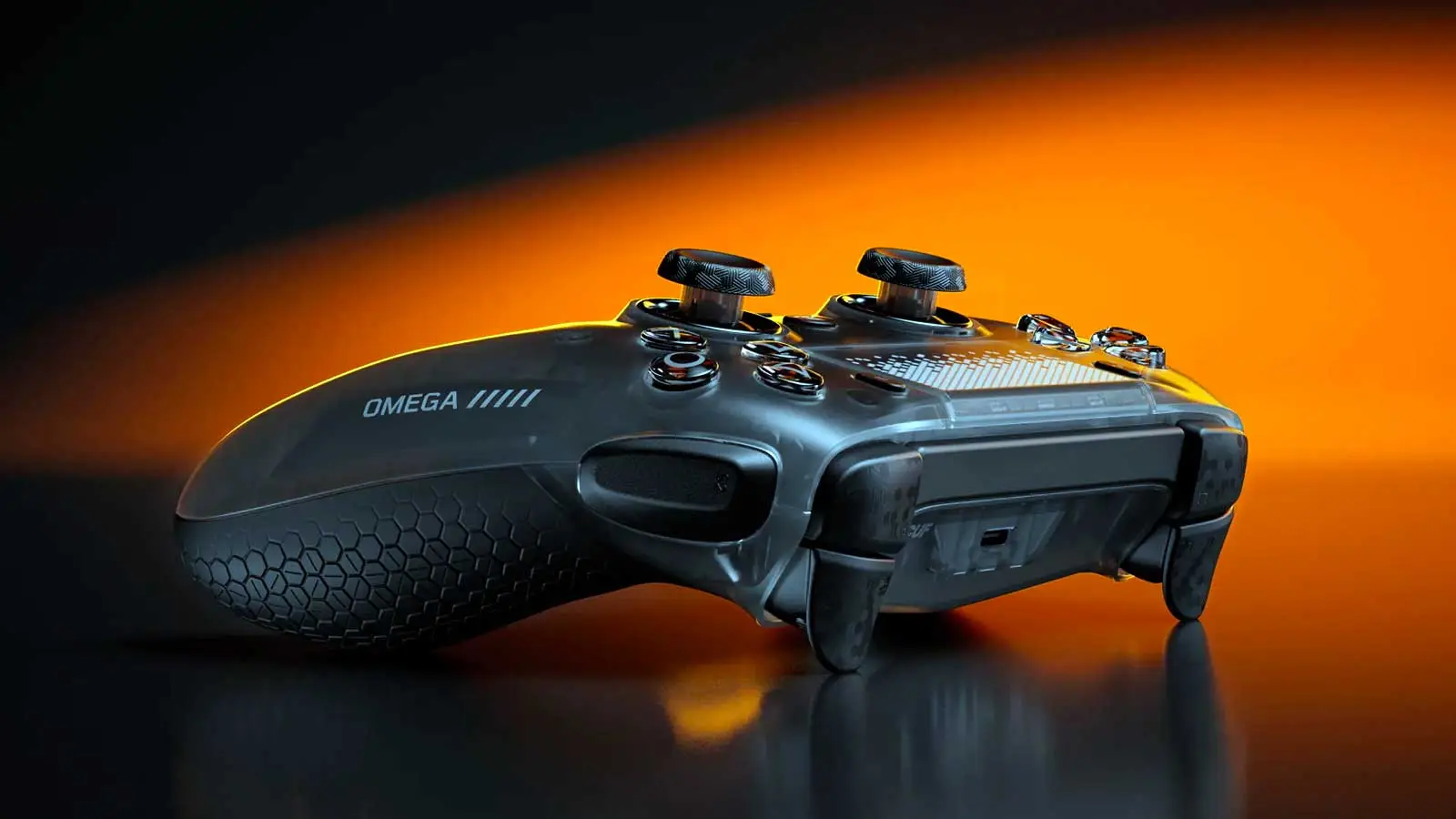
Going back to the new side buttons, while I’m sure they will be beneficial for many games, one game in particular that they helped me loads with is the new third-person bullet-hell shooter from Housemarque, Saros. While my two index fingers are naturally placed over L2 and R2 to aim and shoot, the two side buttons (S1 and S2) were mapped as L1 and R1. This means that when I needed to dodge, sprint or use my shield, I barely had to move my fingers, because all I needed to do was gently press my fingers against the two side buttons. In a game where timing is everything, these buttons made a huge difference, especially during intense Saros battles.
At the very bottom of the controller, where the audio jack port can be found, are a line of other buttons that allow you to easily switch between your saved profiles, as well as adjust the volume controls for your headset. Typically, the switch profile button on an SCUF is centrally located at the back of the controller, so this makes it a little easier to switch on the fly.
The SCUF Omega has three connection options: wireless via the dongle provided, wired with the USB cable provided, and Bluetooth used for mobile gaming and connecting to its app. Wired is often the best choice for competitive gaming, offering ultra-low latency with no lag input whatsoever. However, the wireless dongle option is pretty much just as good, plus you won't have a cable trailing across the room.
While the wireless dongle is fine for the most part, it does have a couple of caveats. Firstly, unlike the DualSense or other SCUF PlayStation 5 controllers, it means using up a USB port on the console and PC. It also means that you can’t switch on your PS5 when holding the PS logo button. The function to switch from PS5 to PC, wireless, wired, and Bluetooth is also underneath the faceplate. Much like the profile button, these are often found on the face or rear of the controller, so that feels a little odd.
It’s also worth mentioning that the SCUF Omega does not have haptic feedback and adaptive triggers, but there is logic to that decision. Not only does it make the controller lighter, from a purely competitive perspective, it means that a perfectly aligned sniper shot won’t be derailed by a sudden controller vibration. None of these ‘issues’ is going to end your world, but it’s still something to note.
That being said, the faceplate is now easier to remove than ever before. Now, you don’t have to pry it open, worried that you might crack it. It’s got a magnetised connection, meaning that it snaps on and off with ease. When I’ve been at conventions such as EGX or Comic-Con, I’ve often seen trading stands selling awesome third-party controller faceplates.
I’ve never bought any of these faceplates, because taking off and replacing a DualSense cover can be a bit of a ballache, but that won’t be an issue with the SCUF Omega. So I can’t wait to see if third-party traders come up with some snazzy faceplates for this controller. Also, the controller has rubber-textured handles, meaning that it's not only comfortable to hold, but it also won't get slippery with sweaty palms.
The SCUF Omega Will Spoil You
When it comes to owning a premium pro controller, it doesn't get much better than a SCUF. Despite a couple of very minor caveats, the SCUF Omega might be its best yet. The controller is a bit smaller than the DualSense; it feels very comfortable in your hand, the back paddle button layout is perfect, and the side buttons are quite literally a game-changer. Granted, that can depend on the game, of course.
Perhaps above all else, the upgrade from the ever-reliable Hall Effect to TMR means that you’ll not only get a slightly better gaming experience with improved precision, but encountering stick drift could be a thing of the past. Unless, of course, you don't know how to look after your controllers.
The starting price of £209.99/$219.99 is high, but it’s still in the ballpark of what you’d expect to pay for a premium pro controller. Perhaps to put that price into perspective, Sony’s official premium controller, the DualSense Edge, priced at £199.99/$199.99, doesn't even have Hall Effect or TMR. It has the standard analogue modules. So, make of that what you will. I believe if you take the plunge with the SCUF Omega, you won’t want to go back to any other controller.
A review sample was provided by Corsair.
READ MORE: 8BitDo Ultimate 2 Bluetooth Controller Review: Sleek Design And Great Comfort Makes This A Must-Buy
Topics: Reviews, Tech, PC, PlayStation